what is new changelog version redesign website improvements release history
Practice Hub changelog
What’s new in Practice Hub
Here’s what has changed around the Hub, from finding a guide to using a worksheet. Start with the newest release below, or look back at an earlier update.
Current version1.7
When you ask an AI assistant for help with your practice, it can now find more of Practice Hub’s reviewed guidance and bring you closer to the right resource.
1.7
Latest update · August 27, 2026
AI assistants can help you find the right Practice Hub resource
If you use an AI assistant to think through a practice question, it can now search more of Practice Hub and guide you to a useful starting point. That might be a step-by-step pathway, a session resource, a state guide, a technology comparison, or the source behind an answer. You still get a direct link to the full Practice Hub page, where you can review the context and decide what fits your practice.
What this means for you
More useful answers, with a clear path back to the source
An assistant can now search session resources, suggest a relevant practice pathway, show the evidence behind an answer, check whether reviewed guidance exists for your state, and explain which part of Practice Hub is most useful. You do not need a separate account, and the assistant only sees information that is already public.
01
A clearer starting point across the whole Hub
An AI assistant can now tell the difference between Practice Hub’s 9 public collections and guide you to the part that fits your question. Instead of dropping you on a broad search page, it can point you toward practice guidance, session resources, pathways, worksheets, state information, technology research, sources, or recent updates.
Practice Hub’s 130 session resources can now be searched by goal, audience, developmental range, format, or collection. That means you can ask for something specific—such as a reflection activity or conversation cards—and get a short list with direct links, intended use, and review guidance.
Turn a big practice question into manageable next steps
Our 8 guided pathways can help an assistant organize questions like “Where do I start with a solo practice?” or “How do I prepare for an owner absence?” You receive a practical sequence and links to supporting resources, while decisions that need legal, tax, clinical, employment, or compliance expertise stay with you and the right professionals.
Assistants can now connect Practice Hub answers to 488 reviewed evidence records. When dates and sources matter, you can see what supports the answer, when it was checked, how confident the research is, when it should be reviewed again, and where to read the complete context.
Assistants can check all 50 states and the District of Columbia before answering a state-specific question. Practice Hub currently has 11 reviewed public state guides, with 40 still in progress. If we have not reviewed your state yet, the assistant will say so instead of guessing or borrowing guidance from somewhere else.
We’re checking whether it helps people find answers
We created 24 real-world questions to test across ChatGPT, Google, Perplexity, Claude, Microsoft Copilot. The checks look at whether Practice Hub appears, whether the answer is accurate, whether sources and links are included, and whether important safety boundaries remain clear—not simply whether the technology turns on.
Helpful discovery, without access to your private work
AI assistants cannot see your saved worksheets, My Practice information, searches, passwords, client information, or private areas of the site. They cannot submit forms, send messages, book appointments, or change anything for you. They also do not replace your professional judgment or advice from qualified legal, tax, employment, clinical, or compliance professionals. Session resources remain designed for therapists and qualified adult facilitators—not for children to use on their own.
1.6
Latest update · August 27, 2026
Practice Hub is easier for AI assistants to use
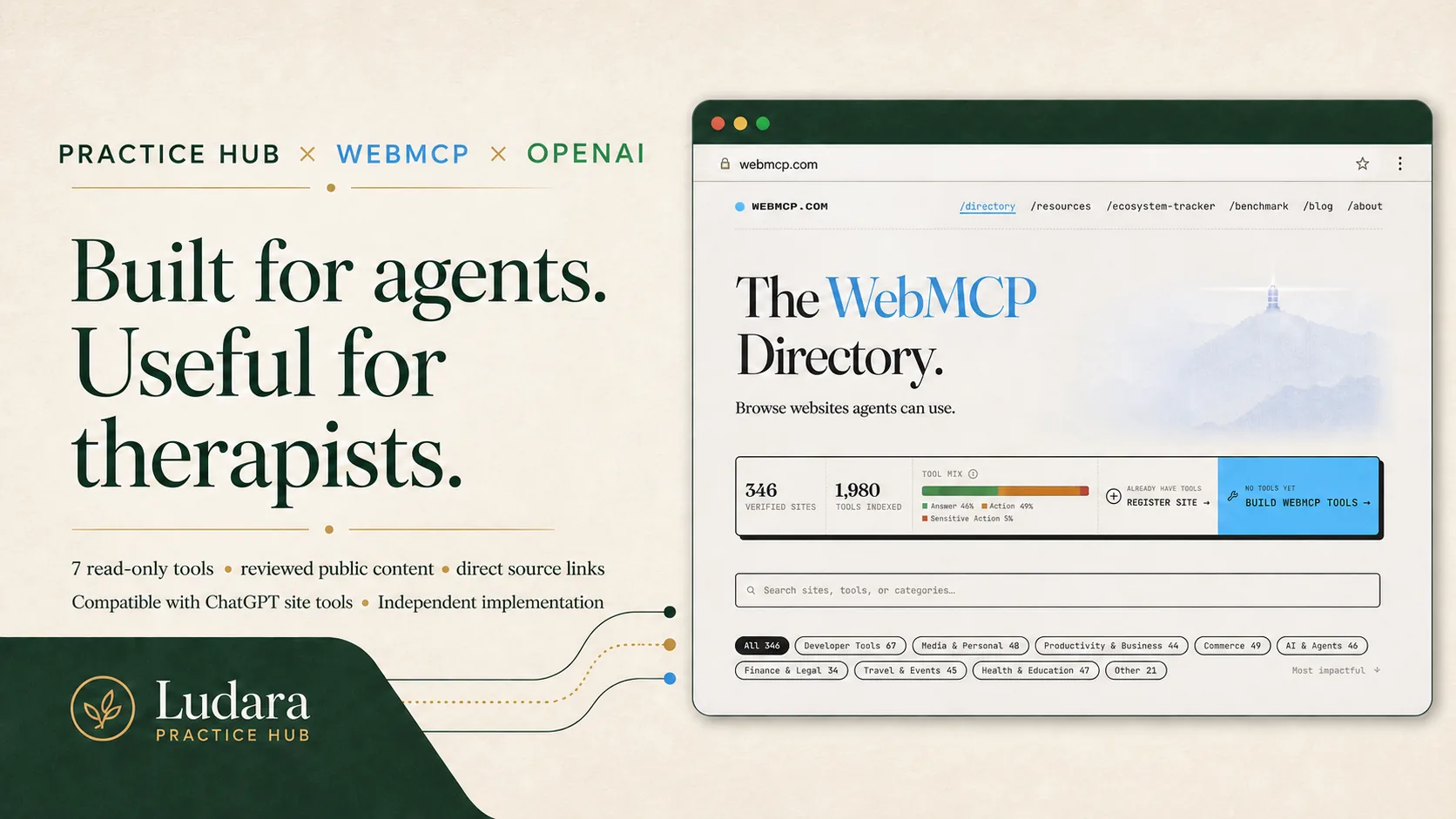
Agent-aware browsers and assistants can now search Practice Hub’s reviewed public guidance, find worksheets, explore state guidance, compare documented technology information, and retrieve recent Practice Hub updates. Seven read-only tools return concise results with direct links back to the relevant Practice Hub pages, helping therapists reach useful sources and next steps without replacing the full guidance.
OpenAI added two public signals for this approach in August 2026: ChatGPT site tools now use WebMCP, and OpenAI says its in-app browser supports WebMCP out of the box in the WebMCP Challenge announced August 25. Practice Hub uses that same proposed web standard. This describes technical compatibility, not a partnership or endorsement.
Practice Hub’s independent WebMCP implementation is compatible with ChatGPT site tools. OpenAI support does not imply partnership or endorsement.
The tools follow the same publication rules as the website. Drafts, expired material, private information, and information saved in My Practice stay unavailable, and assistants cannot submit forms or change anything on the site.
1.51
Latest update · August 16, 2026
Two page tours that stay with you
Guidance and State Guidance now begin with short, page-specific video tours. Start a tour when you want an overview; on desktop, it moves into a small lower-right player when you scroll past it, so you can keep watching while you explore the page. On smaller screens, the player stays in the page to preserve room for reading.
1.5
Latest update · August 14, 2026
The redesigned Practice Hub
Practice Hub now has a clearer homepage, a more connected Guidance section, a more useful Technology area, and responsive layouts built for the same tasks on every screen size. This release redesigns roughly 40% of the full site, with most primary entry pages complete and the deeper content pages still to come.
Before and now
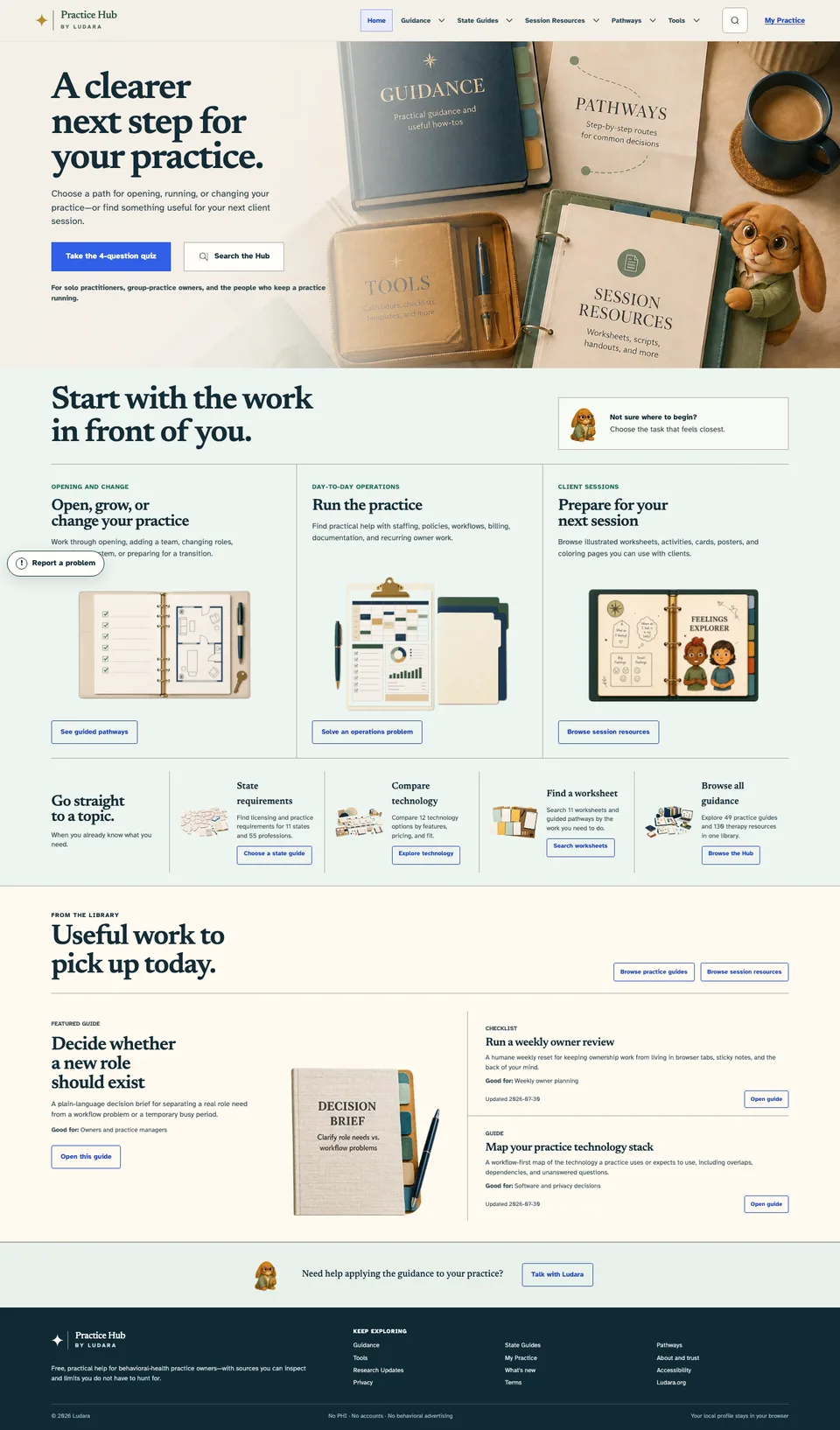
A homepage organized around what you need to do
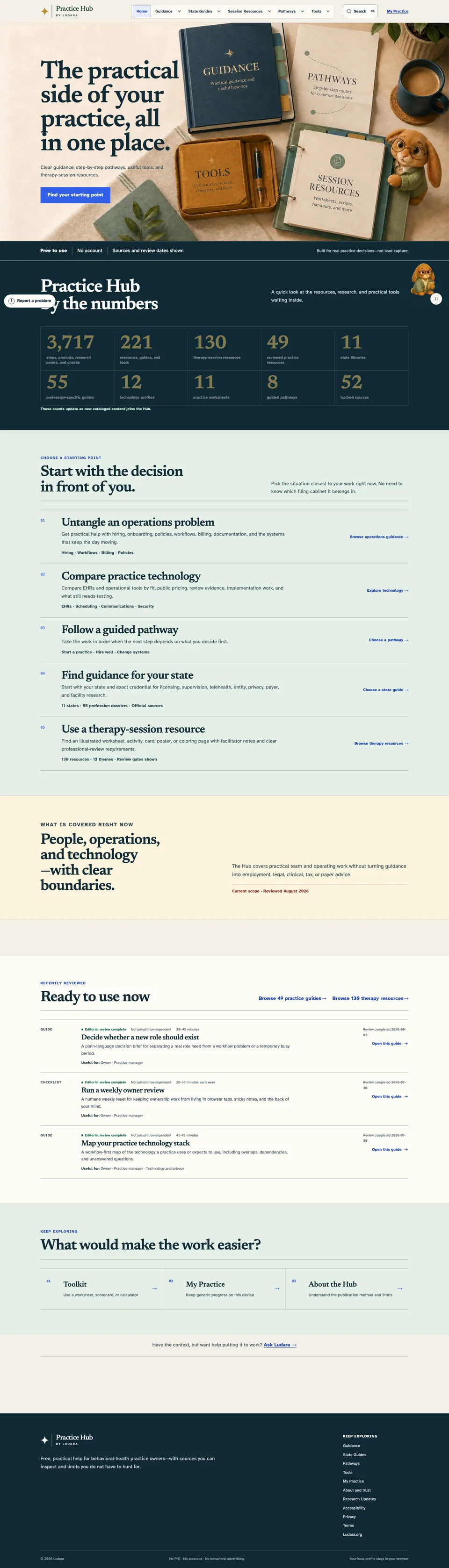
The earlier homepage surfaced a large amount of useful material. The redesign keeps that material while making the starting choices clearer.
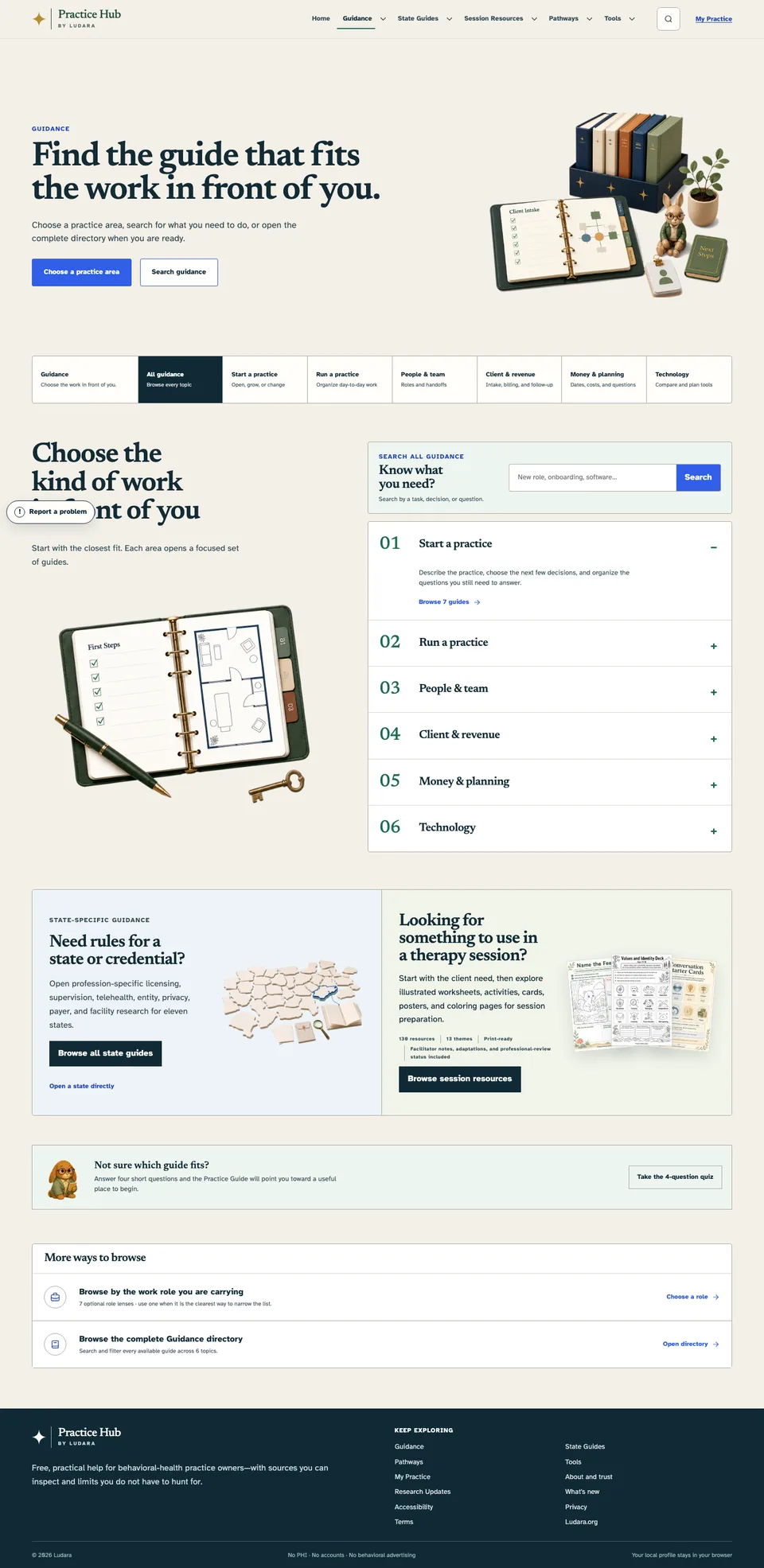
Version 0.5The original information-rich homepageVersion 1.5A clearer route into the work
What changed
Everything you can see and use in version 1.5
A clearer homepage
The homepage now starts with the work you are trying to do, whether you are opening, running, or changing a practice or preparing for a client session.
A four-question starting-point quiz can point you toward a useful part of the Hub.
Search, guided pathways, state requirements, technology comparisons, worksheets, and session resources are easier to reach.
Links now look and behave like clear actions instead of small text links scattered through the page.
Guidance that works as one connected section
All guidance, Start a practice, Run a practice, People & team, Client & revenue, Money & planning, and Technology now share one consistent family navigation.
The main Guidance page has a simpler search, clearer practice areas, a state-guide entry point, and a direct route to session resources.
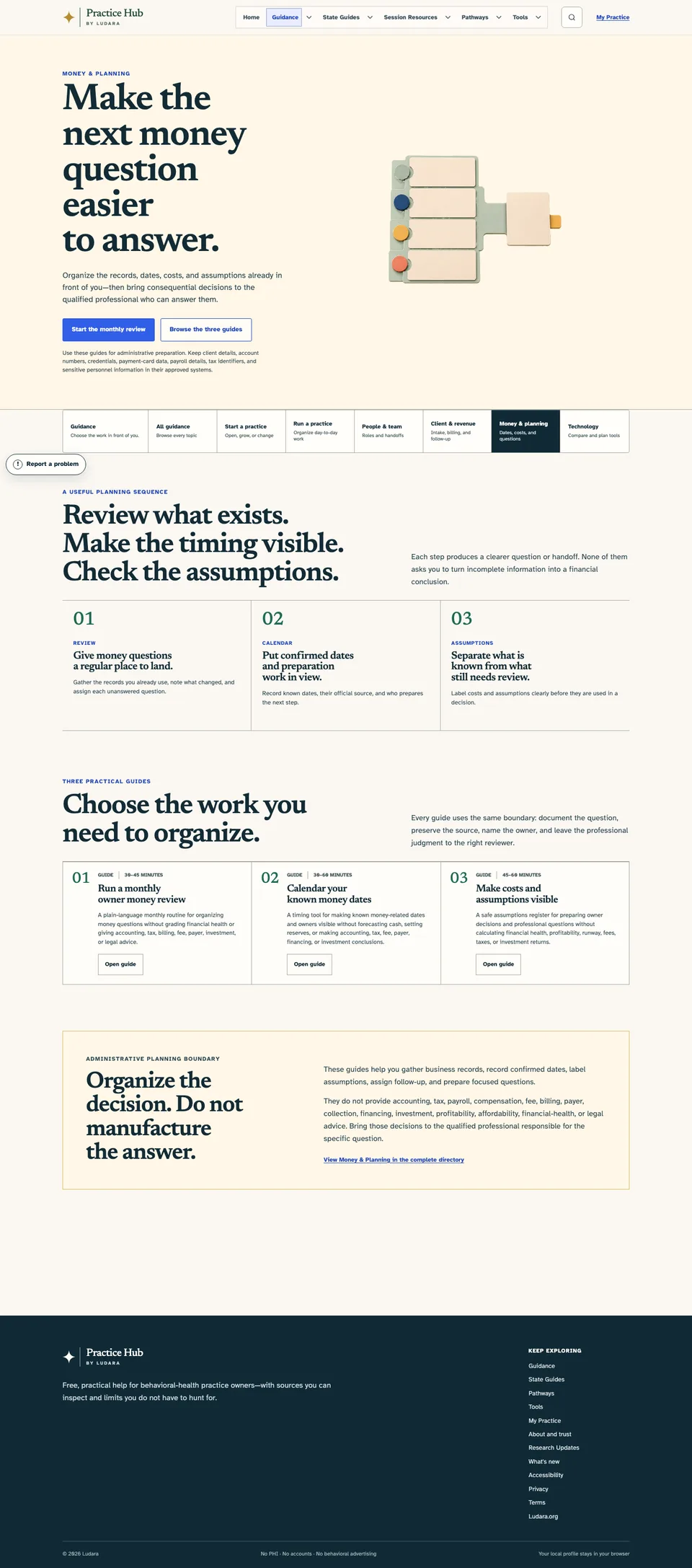
Money & planning now has a dedicated page for its three existing administrative-planning guides.
Existing guides and directory information were reorganized rather than removed.
Images now show complete tools, worksheets, and planning materials instead of hard-to-read crops.
Redesigned practice-area pages
Start a practice now presents opening work in a practical sequence, with related guides grouped around each stage.
Run a practice now centers recurring work, ownership, weekly review, continuity, and operational rhythm.
People & team now makes role planning, hiring, onboarding, access, handoffs, and offboarding easier to scan.
Situations and playbooks gives urgent operational questions a clearer first safe action and route to the right help.
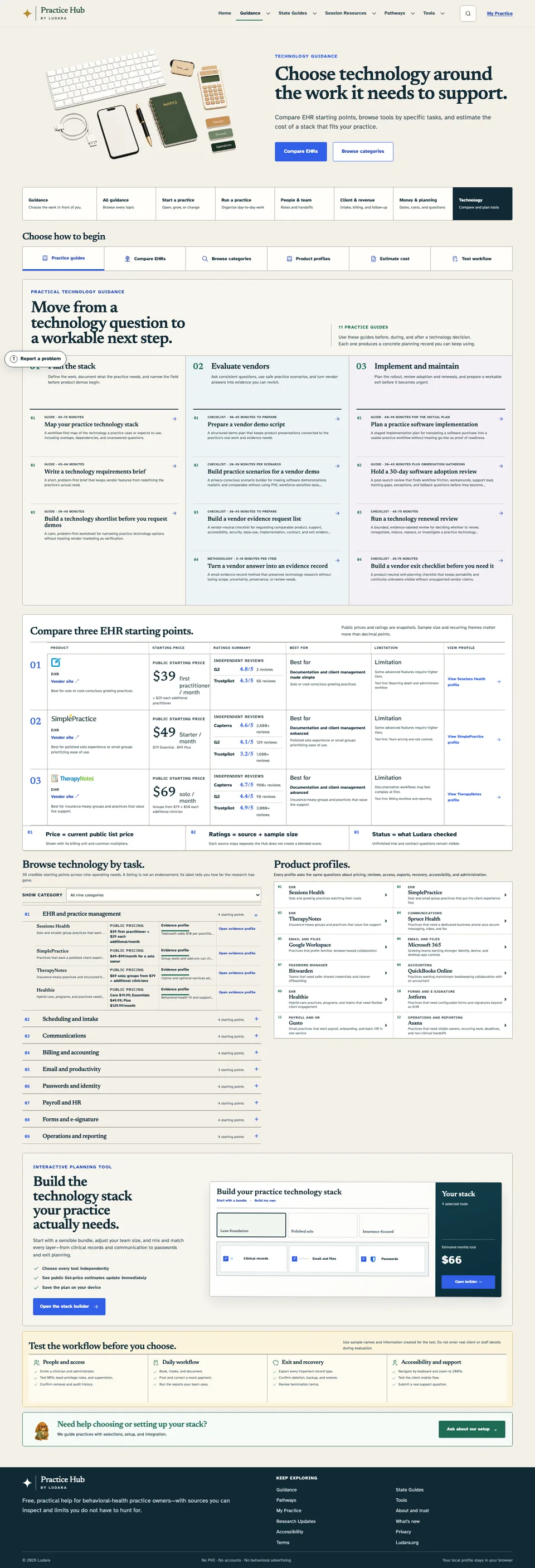
A more useful Technology section
All 11 practical technology guides are now available directly from the Technology landing page, organized around planning, vendor evaluation, implementation, and ongoing review.
EHR comparisons now show pricing context, outside-review context, fit, limitations, and direct profile links in one place.
Technology can be browsed by the task it supports, including records, communication, billing, security, forms, and reporting.
Product profiles and workflow-testing steps are easier to compare.
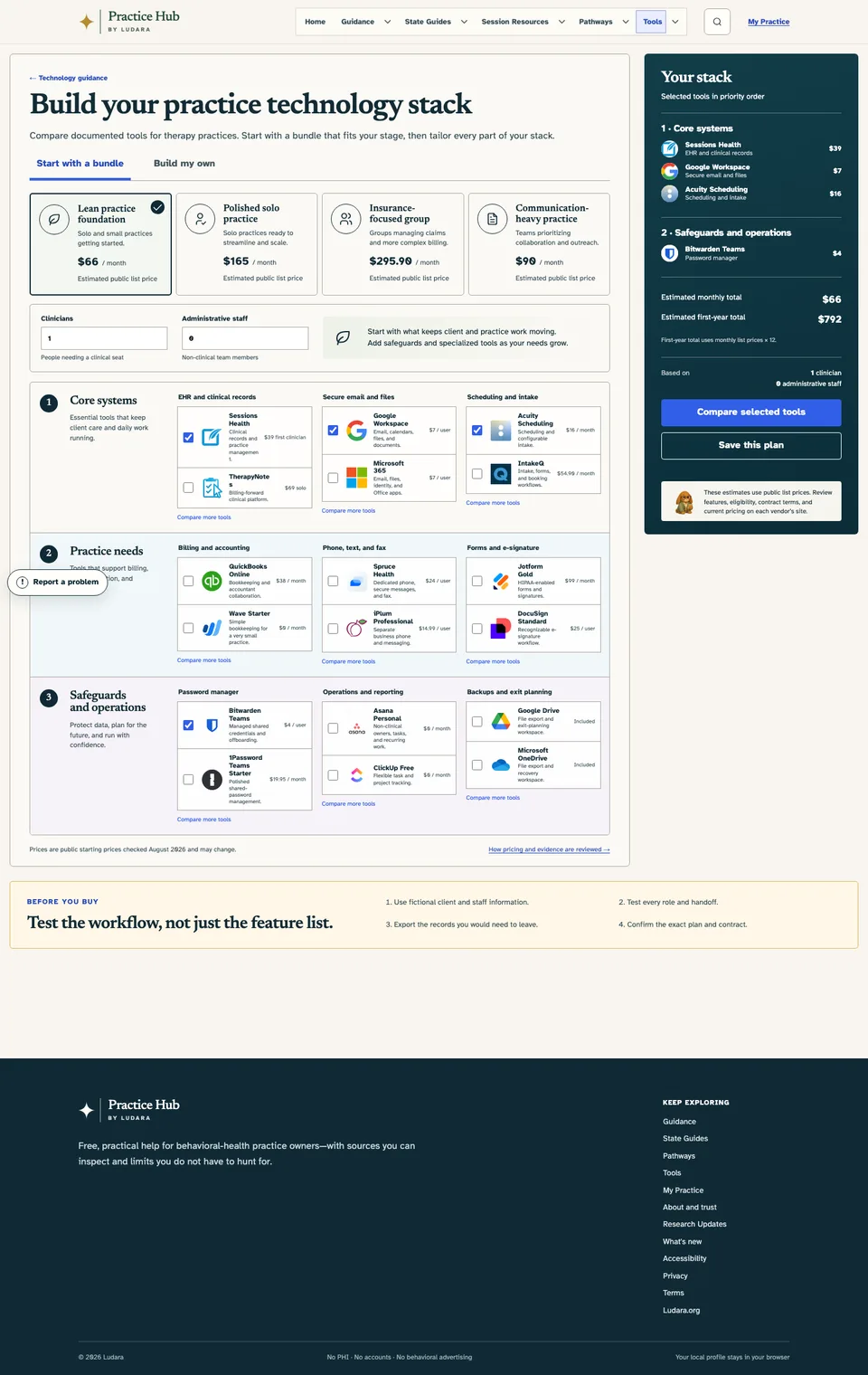
The new technology stack builder lets you start with a bundle or mix and match every tool independently.
Team size, selected tools, monthly estimates, first-year estimates, and saved plans update as you build.
Better on phones and tablets
Hero artwork now sits behind the page introduction on smaller screens, keeping the same visual identity without pushing the useful content far down the page.
Guidance-family navigation becomes a compact selector so the current page and nearby destinations stay visible.
Cards, comparison tables, directories, and the stack builder reflow for narrow screens without sideways scrolling.
Buttons and controls keep comfortable touch targets, visible focus states, and readable labels.
More polish and a friendlier guide
Page language is more direct and focused on the next useful action, with less repeated reassurance and fewer proof-heavy sections.
The search control in the header is smaller, leaving more room for navigation.
The footer now includes a clearly labeled Changelog link on every page.
The Report a problem button stays available in the lower-left corner.
The Practice Guide rabbit now animates gently inside the sections made for him instead of floating over the page.
People who prefer reduced motion see a still rabbit, and animation pauses when it is offscreen.
The Maryland hub now uses the complete State Guide format, with profession sections, working tools, and official sources in one place.
New starting point
Find a useful direction in four questions
The starting-point quiz asks about your practice, the work in front of you, and the kind of help you need. It then suggests relevant guides, tools, and next steps without requiring an account.
The main entrances are new. The deeper pages are next.
About 40%
The homepage and primary Guidance pages now use the new design system. The next phase will bring the same clarity to individual guides, therapy resources, pathways, product profiles, worksheets, tools, and state-detail pages.
Guidance before and now
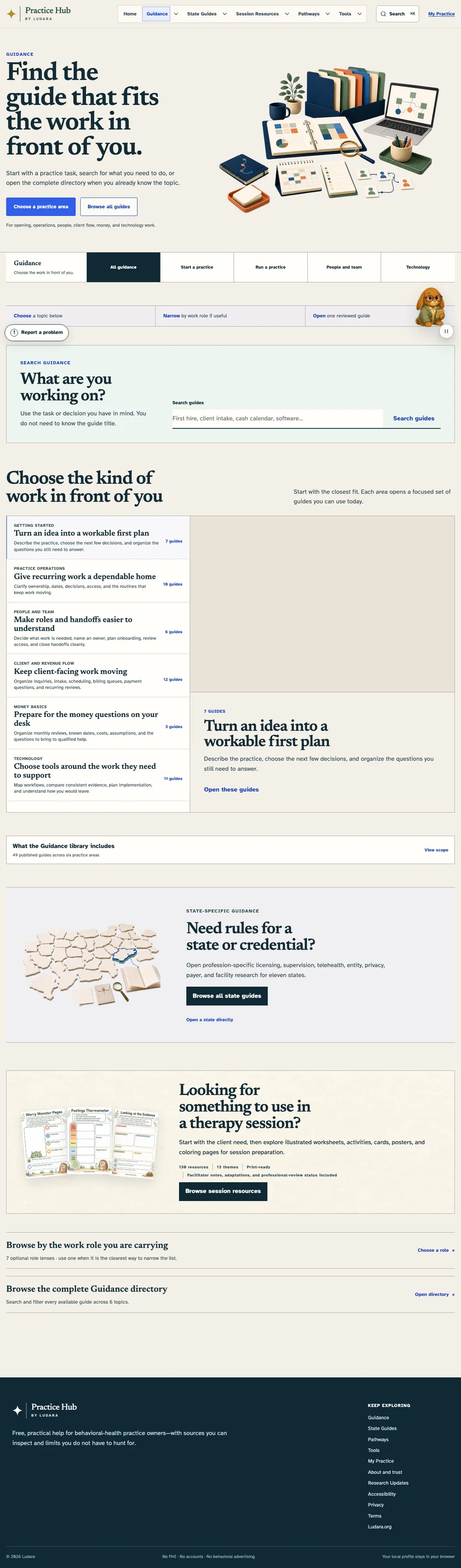
One connected family of pages
The redesign makes the relationship between All guidance, Start a practice, Run a practice, People & team, Client & revenue, Money & planning, and Technology visible wherever you begin.
Version 0.5Useful destinations with a looser page-to-page flowVersion 1.5Consistent navigation and clearer starting points
Technology guidance
Practical guides and product planning in one place
Technology now connects 11 step-by-step practice guides with EHR comparisons, product profiles, task-based browsing, workflow checks, and the stack builder. The guides cover planning the stack, evaluating vendors, implementation, adoption, renewal, and exit preparation.
The three existing Money & planning guides now have a dedicated home. They help organize a monthly owner review, confirmed dates, costs, assumptions, and questions for qualified professionals without turning preparation into financial advice.
Choose a starting bundle or build your own. Every category can be mixed and matched, recognizable product icons make tools easier to scan, prices respond to team size, and the plan can be saved on your device.
Technology moved beyond a list of products. You can now compare EHR starting points, browse software by task, review consistent product profiles, test workflows, and build a stack around the way your practice actually works.
1.0
August 13, 2026
Guidance becomes a connected set of pages
The guidance pages now share the same navigation, with related guides grouped by task. It’s easier to move between starting a practice, running it, managing a team, client operations, and technology.
0.75
August 13, 2026
A clearer front door
The homepage was rebuilt around a few recognizable starting points. The quiz, search, stronger action buttons, topic shortcuts, visible feedback control, and a gentler Practice Guide make it easier to choose a next step.
0.5
Earlier version · August 12, 2026
The foundation
Version 0.5 established the core library, tools, and trust information that the redesign is built around.
What was already available
The first public Guidance library and searchable resource directory were available.
State guides, guided pathways, worksheets, practice tools, and session resources formed the core of the Hub.
My Practice kept generic progress on the device without requiring an account.
Technology profiles and basic cost-planning tools were available, but they were spread across a more utilitarian page structure.
Sources, review dates, privacy information, accessibility information, and research updates were already part of the public site.